
All bearer tokens should be kept private and never shared or exposed in client-side code.
1
Go to Organization Settings
Open Settings for your organization in the Polar dashboard.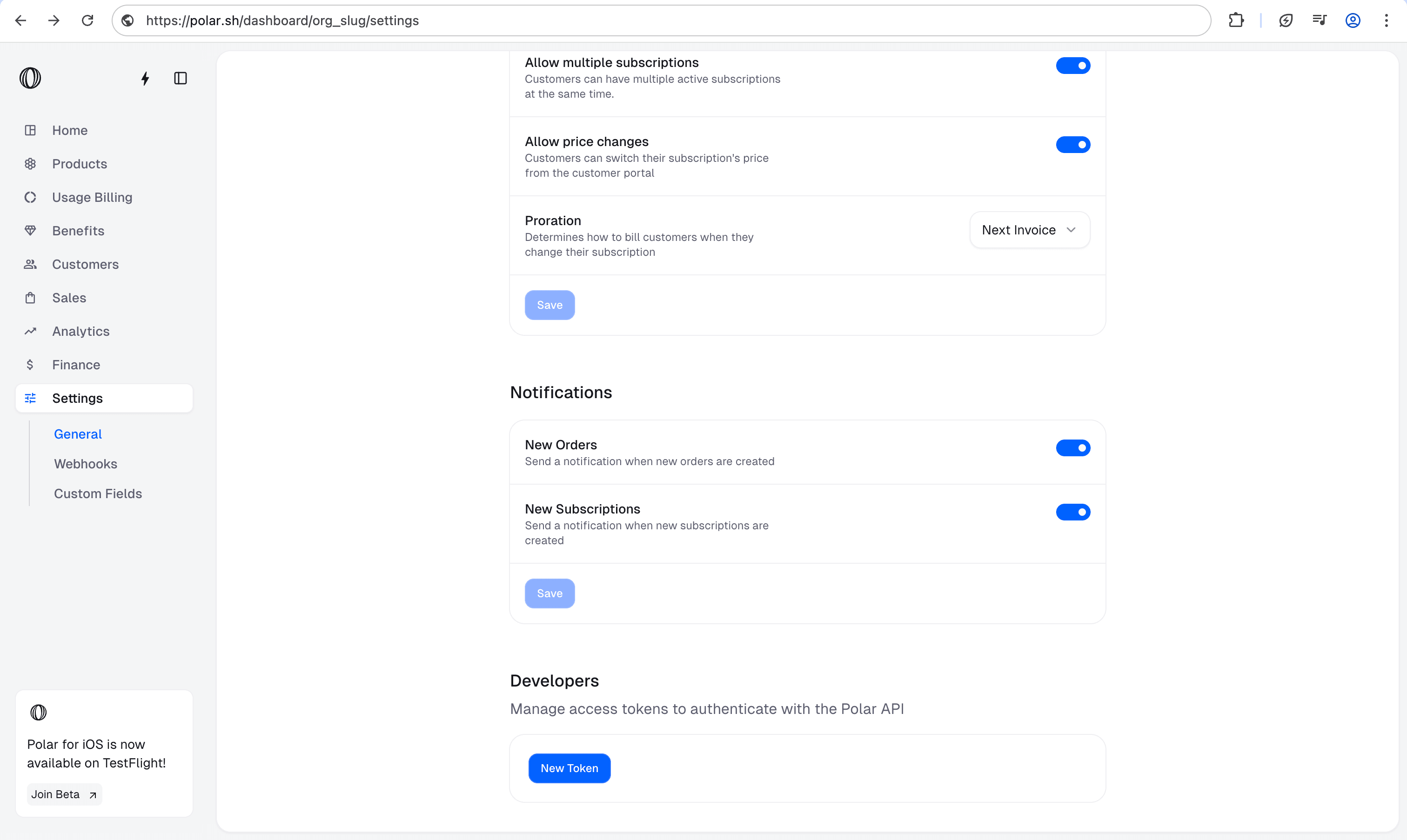
2
Create an access token
Scroll down to Developers and click New Token
3
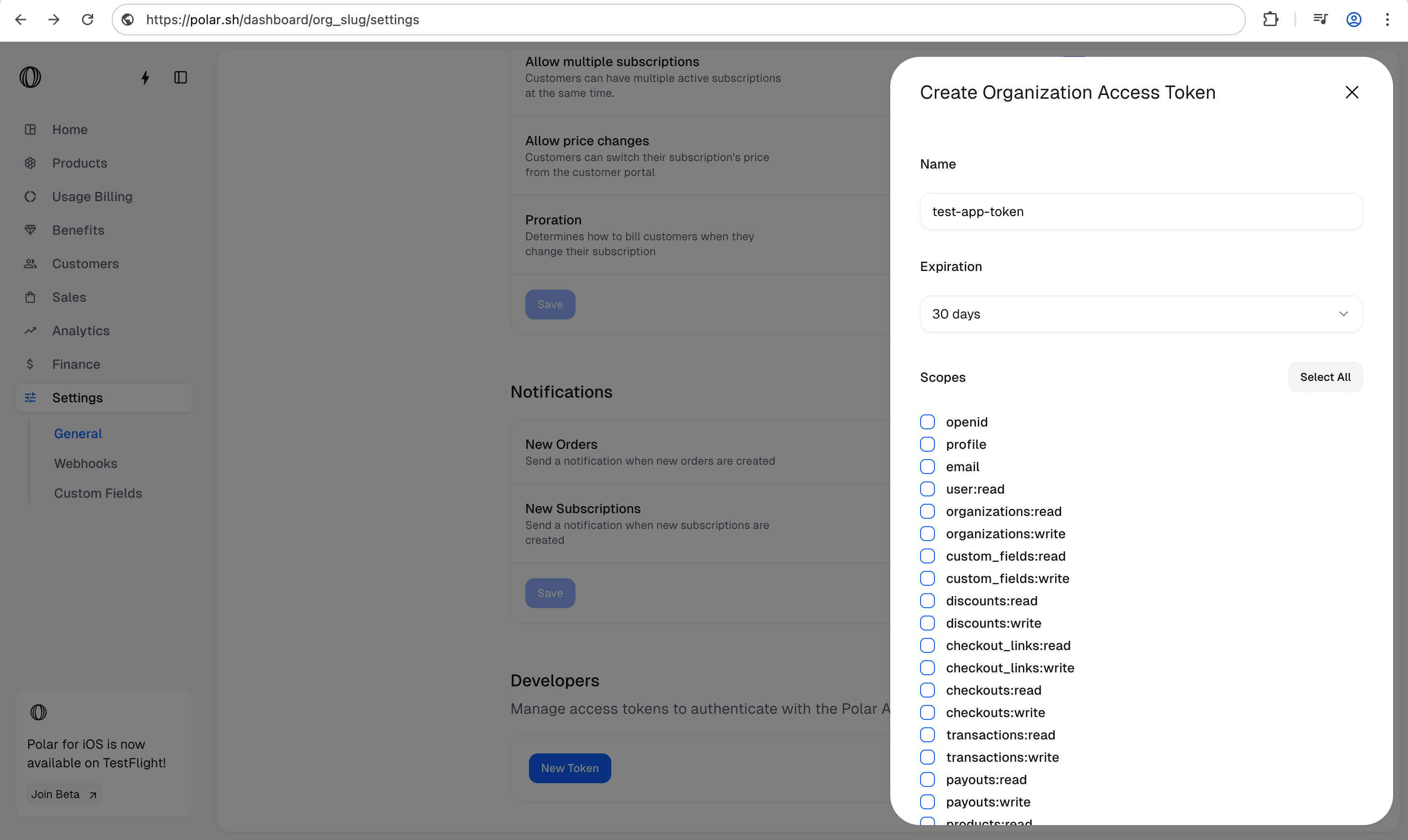
Configure the token details
- Give your token a name: Choose a descriptive name so you remember what this token is used for.
- Set an expiration date: Decide how long the token should be valid.
- Select the required scopes: Pick the permissions your token needs.